
New to Smart Home Automation? You are not alone. I started on this journey recently and learned a lot along the way. In this post I outline my thoughts on one of the most important conundrums I had to get started. Do I buy an Amazon Echo (powered by Alexa) device or do I go with a Samsung SmartThings Hub? Both of these devices are the leaders in their respective spots in the market, but don’t confuse them as only being direct competitors of each other, they work very well together to give you the maximum outcome.
In the post I provide details on the different devices, give you some insight into how they operate, and outline a number of examples using these devices together. Finally I show you how to create your first voice-enabled routine.
Amazon Echo and the Alexa App
Unless you have been living in a cave the last few years you would be very familiar with the Amazon Echo range of devices. There are a number different devices available in the Echo range. Your entry level Echo Dot which you can pick up for under $40, right up to the Echo Show with its integrated Video screen. Picking one really comes down to what you need and potentially the compatibility of the smart devices already in your home. The devices can connect to your devices via Bluetooth or WiFi.In this post we focus on two devices in the Amazon Echo range as I am mainly interested in the hands-free voice control feature, which is consistent across all the Amazon Echo devices. The one outlier with much more powerful features is the Amazon Echo Plus (with built-in Smart Hub), which we will get to in a second.
Amazon Echo Dot (2nd Generation)

This is my favorite of the Amazon Echo range. This device looks like a hockey puck, 3.3 in in diameter standing 1.3 in tall and comes in shiny black or white finish. The Echo Dot gives you all the necessary voice features of the Amazon Echo, but without the powerful sound. If you already have a sound system in your home and you don’t need a speaker, then this is the option for you. You can connect it easily into your Line In plug on your home stereo system to add the powerful sound, or you can simply use it by itself with the integrated speaker which I felt was pretty good for voice feedback.
The best part: You can get your hands on it for $39.99 on Amazon
Amazon Echo (2nd Generation)
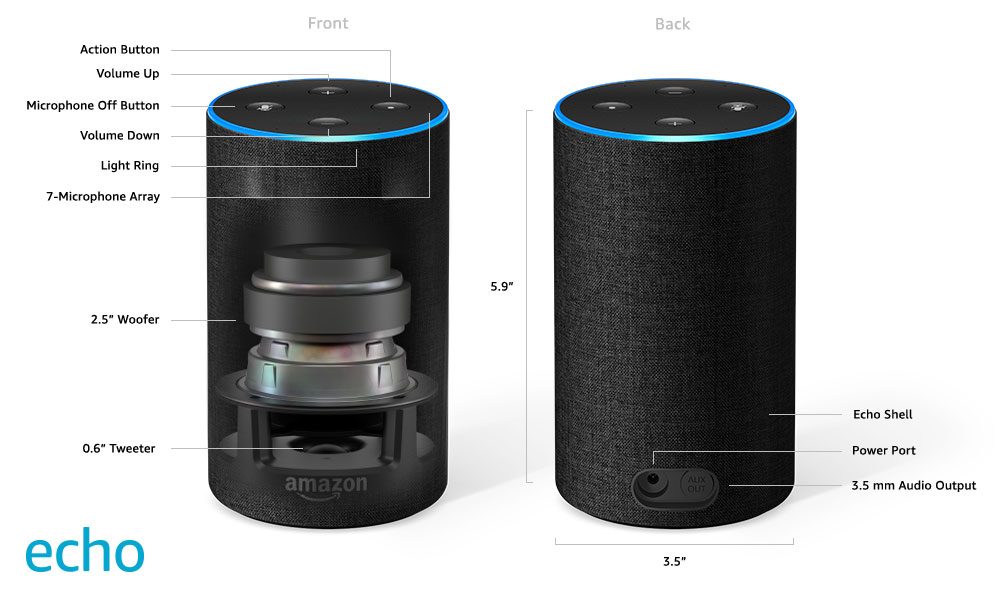
This is essentially a larger version of the Amazon Echo Dot but with built in “room filling” sound. It has a diameter of 3.5 in and a height of 5.9 in. The 2nd generation is the latest version at the time of writing this post. The Amazon Echo can be customized with various difference decorative shells to give it a walnut, sandstone, oak finish – there are a number of different options to choose from based on your room decor.
It also comes with an audio output for plugging into your stereo system’s Line In for even larger sound, and has the same volume, action and microphone buttons as the Amazon Echo Dot. It also comes in at an amazing price point of $79.99 on Amazon
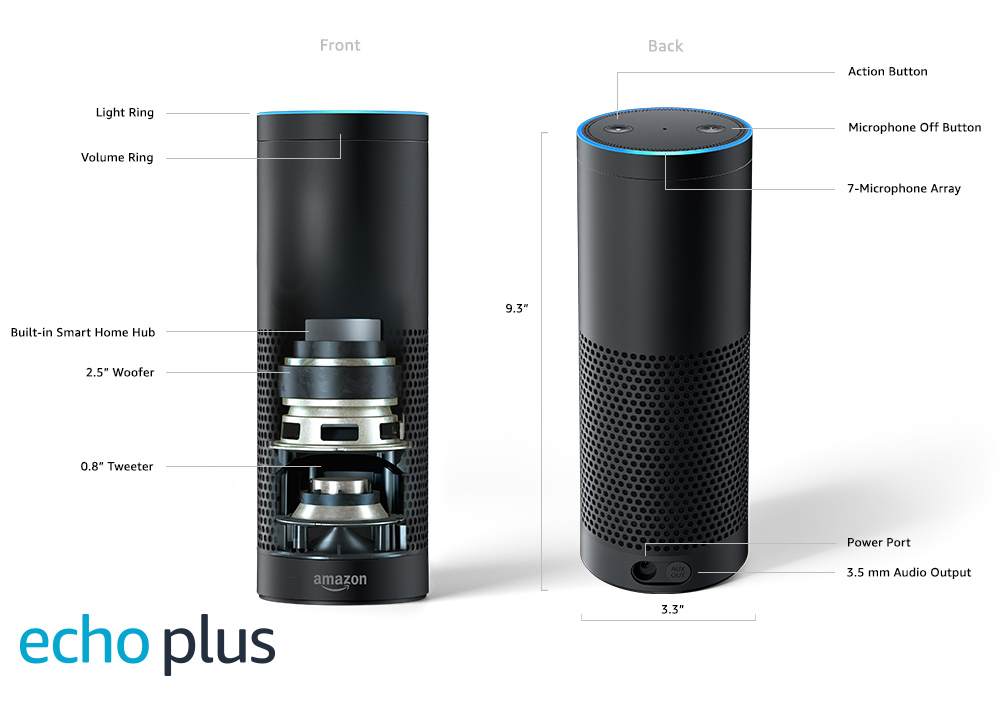
Now this is where things start to become interesting. Recently released, this new device in the range includes a powerful feature that is unique to the range. The built-in hub can speak to smart devices in your home using the Zigbee protocol. Now don’t worry too much about what Zigbee means, for now just see it as the language your smart devices use to communicate with your hub.
The Amazon Echo Plus is a much bigger device, standing 9.3 in tall x 3.3 inches in diameter. The main difference between the this one and the Amazon Echo is the addition of the hub, other than that is basically the same.
 This app is available on iPhone, Android and Amazon Fire devices, and is the central command for your Amazon Echo devices that are deployed in your home. The app is outstanding and very simple to use. It comes with many handy tips and hints built in to the interface that guide you through your integration of all your devices.
I have nothing negative to say about the app. Its really well built and I found it really easy to get started on.
The most powerful feature is called Alexa Skills – which is the way you integrate various devices or applications into your Alexa powered smart home. This is also the method you would use to integrate your Samsung SmartThings Hub into your overall Smart Home.
Below are some examples of skills, the commands you issue to leverage them, and the outcome. Some skills are quirky, and some are super useful to make your Smart Home function:
It also comes with an audio output for plugging into your stereo system’s Line In for even larger sound, and has the same volume, action and microphone buttons as the Amazon Echo Dot. It also comes in at an amazing price point of $79.99 on Amazon
Amazon Echo Plus with built-in hub
Now this is where things start to become interesting. Recently released, this new device in the range includes a powerful feature that is unique to the range. The built-in hub can speak to smart devices in your home using the Zigbee protocol. Now don’t worry too much about what Zigbee means, for now just see it as the language your smart devices use to communicate with your hub.
The Amazon Echo Plus is a much bigger device, standing 9.3 in tall x 3.3 inches in diameter. The main difference between the this one and the Amazon Echo is the addition of the hub, other than that is basically the same.
Amazon Alexa App

I have nothing negative to say about the app. Its really well built and I found it really easy to get started on.
The most powerful feature is called Alexa Skills – which is the way you integrate various devices or applications into your Alexa powered smart home. This is also the method you would use to integrate your Samsung SmartThings Hub into your overall Smart Home.
Below are some examples of skills, the commands you issue to leverage them, and the outcome. Some skills are quirky, and some are super useful to make your Smart Home function:
- SmartThings Skill – “Alexa dim the living room lights to 10%” – This skill is key to integrating your SmartThings hub with Alexa, allowing you to issue voice commands to run routines and power on/off devices in your home that are registered to your SmartThings Hub.
- Broadlink Remote Control – “Alexa turn on the TV” – This skill allows you to integrate the Broadlink remote control device that can send infrared commands to devices like TVs or ceiling fans, allowing you to control them through voice
- Sonos – “Alexa play pop music in the family room” – If you have a Sonos sound system you can use this skill to control your Sonos music system through voice commands
- iRobot Home – “Alexa, ask Roomba to start cleaning” – If you have a iRobot Robotic Vacuum you can use this skill to control your robot vacuum
- NPR News Now – “Alexa, what’s my flash briefing” – Plays a flash news briefing from NPR News on your Amazon Echo speakers or stereo system if you are connected to it from your Amazon Echo device
- Stop Dog Barking – “Alexa, open stop dog barking” – This is a quirky one, which basically plays a high pitched noise on your Alexa device to discourage dogs from barking
- Start nagging me – “Alexa start nagging me” – Another one in the quirky category, useful for when you want Alexa to nag at you with
Samsung SmartThings
The Samsung’s SmartThings Hub connects all the things in your house. The hub comes in a small form factor of 4.2 x 4.9 x 1.3 inches and can only be bought in white. The hub communicates with your smart devices through a large number of protocols (languages) that include Zigbee, Zwave and Zwave Plus.

One downside is the fact that you have to connect your SmartThings hub to your Internet Modem or Router with a network cable, it cannot be set up only through WiFi like Amazon Echo devices can. It wasn’t a big deal for me, I simply plugged it in close to my Spectrum Internet Router and connected it up with a short network cable.
The SmartThings hub is a very powerful device, supporting a broad range of compatible devices and protocols (we’ll get to what that means later), for an amazing price point. It currently retails for $85.99 on Amazon and other retailers like BestBuy.
The Samsumg SmartThings hub integrates pretty seamlessly into your Amazon Alexa App, allowing you to control device or groups of devices via a voice command on your Amazon Echo device
There are a myriad of smart devices on the market today. Including but not limited to:
The price of these devices have really gone down a lot over the years, making it much cheaper to enter into the Smart Home journey.
My advice, start by asking the following question: “It would be great if … ”
“… if the lights would come on when I unlock my front door”
“… if I can switch off all the lights in my house except for my bedroom when I go to bed – using my voice!”
“… if the motion detector would switch my kitchen lights on, only after 12 am when I normally get my midnight snack”
“… if the ceiling fans turn on when the temperature reaches 78 Fahrenheit upstairs”
“… if music started playing, my patio lights would turn on, and my outdoor fan starts up after I say: Alexa, time for a BBQ!”
“…. if my windows blinds opened up at 7 am to wake me up, while Alexa starts my News briefing”
“… if my porch lights turned on when my Domino’s pizza guys is on the way” (yes, this is possible)
“… if my kids lights would automatically turn off at 9 am because they ALWAYS leave them on, wasting a bunch of electricity.”
This can also be described as If This Then That (IFTT) – another term you may have seen in your Smart Home research.

One downside is the fact that you have to connect your SmartThings hub to your Internet Modem or Router with a network cable, it cannot be set up only through WiFi like Amazon Echo devices can. It wasn’t a big deal for me, I simply plugged it in close to my Spectrum Internet Router and connected it up with a short network cable.
The SmartThings hub is a very powerful device, supporting a broad range of compatible devices and protocols (we’ll get to what that means later), for an amazing price point. It currently retails for $85.99 on Amazon and other retailers like BestBuy.
The Samsumg SmartThings hub integrates pretty seamlessly into your Amazon Alexa App, allowing you to control device or groups of devices via a voice command on your Amazon Echo device
Making this all work together
Having installed a hub or an Amazon Echo device is step one. Now what? If you don’t have smart devices to control then the usefulness of your SmartThings Hub or Amazon Echo is massively diminished.There are a myriad of smart devices on the market today. Including but not limited to:
- Thermostats
- Light bulbs
- Light switches
- Motion sensors
- Door Locks
- Window Blinds
- Outdoor and Indoor Plugs
- Ceiling Fans
- and the list goes on…
My advice, start by asking the following question: “It would be great if … ”
“… if the lights would come on when I unlock my front door”
“… if I can switch off all the lights in my house except for my bedroom when I go to bed – using my voice!”
“… if the motion detector would switch my kitchen lights on, only after 12 am when I normally get my midnight snack”
“… if the ceiling fans turn on when the temperature reaches 78 Fahrenheit upstairs”
“… if music started playing, my patio lights would turn on, and my outdoor fan starts up after I say: Alexa, time for a BBQ!”
“…. if my windows blinds opened up at 7 am to wake me up, while Alexa starts my News briefing”
“… if my porch lights turned on when my Domino’s pizza guys is on the way” (yes, this is possible)
“… if my kids lights would automatically turn off at 9 am because they ALWAYS leave them on, wasting a bunch of electricity.”
Integrating your Smart Devices
Since there are literally thousands of devices on the market I will stick to a simple example, which will give you the groundwork to expand to other devices. This is a real example that I did at home:“It would be great if my bedside lamps would dim to 10%, my kitchen lights would switch off, and my stairwell would switch on and dim to 30% so that the kids don’t fall down the stairs in the middle of the night – all after saying Good Night to Alexa”So as you can see there are a few devices in this scenario. It also has a number of steps, which are typically called Routines (on Samsung SmartThings) or Scenes (on Amazon Alexa). Routines or Scenes are basically a collection of steps that are done in sequence in response to something else happening (e.g. set to happen at a specific time, triggered by a voice command, a motion detector picking up movement, or a door locking).
This can also be described as If This Then That (IFTT) – another term you may have seen in your Smart Home research.
What do you need for this example?
I bought the following devices – assume that I already have the Samsumg SmartThings Hub and Amazon Echo Dot installed and they are communicating with each other:- Sengled Dimmable LED Smart Bulb – I bought 2 for $9.99 each at BestBuy
- GE Zwave Smart Toggle Dimmer – $39.50 on Amazon (also comes in paddle style)
- GE Zwave Smart Toggle Switch – $34.83 on Amazon (also comes in paddle style)
Step 1 (2 minutes) – Replace bulbs
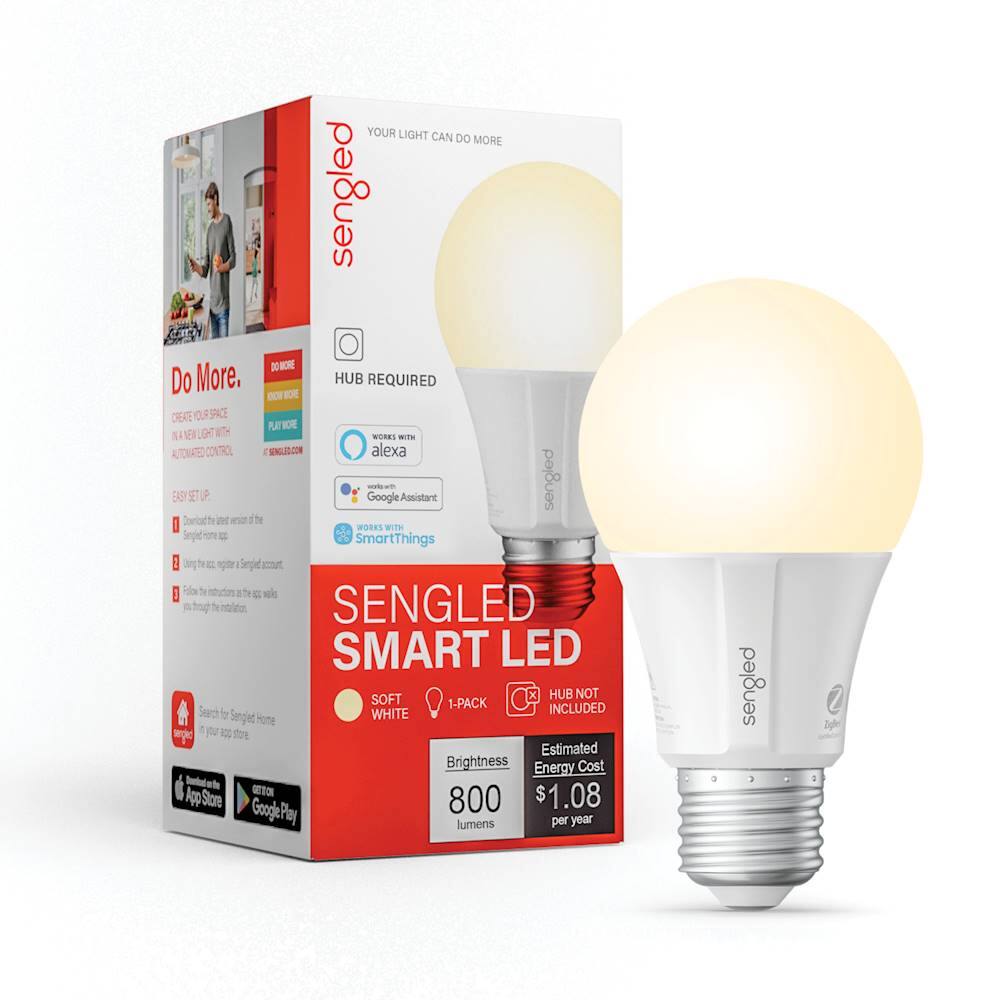
Replace the bulbs in your bedside lamps with the Sengled Smart Bulbs, adding each bulb to your SmartThings Hub with the SmartThings App
Step 2: (5-10 minutes) – Install Switch and Dimmer
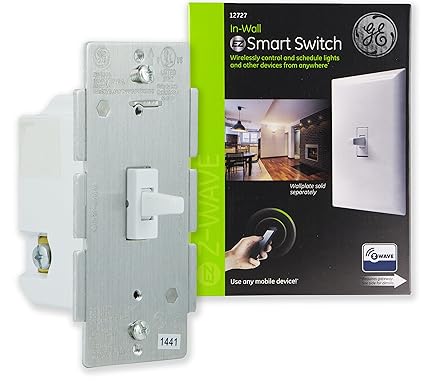
- Remove your in wall switch to your kitchen lights and replace it with the GE Zwave Toggle Switch adding the switch to your SmartThings Hub with the SmartThings App
- Remove your wall switch for you stairwell lights and replace it with the GE Zwave Toggle Dimmer adding the switch to your SmartThings Hub with the SmartThings App
Step 3: (5 minutes) – Samsung SmartThings Actions
Create a Scene in SmartThings App that contains all the different lights and dimming levels you need for your scene to run. In my example below I created a scene called Night Time, added the Lamp, Stairwell and Kitchen Lights to it, and set them to either be OFF or ON (with set dimming levels). Screenshots below.
Do the same for adding your new scene you created: Tap Smart Home, Scenes, then click Discover Scenes. Your Night Time scene will now be available to use in the Alexa App
 |
Scenes on the SmartThings App

Scene Settings & Devices
|
 |
| Adjusting the dimming level |
 |
| Device Settings |
Step 4: (5 minutes) – Alexa App Actions and voice enabling your routine
Now its time to integrate your routine into Alexa, which is super simple. Open the Alexa App, choose Smart Home from the menu, then Devices and tap Add Device. Alexa will search for 20 seconds to find any new devices that you created on your SmartThings Hub, and then add them to the Alexa App. You should now see your Kitchen Lights, Stairwell and Bedside Lamp in the list of devices.Do the same for adding your new scene you created: Tap Smart Home, Scenes, then click Discover Scenes. Your Night Time scene will now be available to use in the Alexa App
 |
| Alexa searching for new scenes |
 |
| Night Time Scene added to Alexa |
 |
| Night time showing integration with SmartThings |
Step 5: (2 minutes) – Voice Enable your Routine
On Alexa tap on Routines and tap the Add (+) button to create a new routine. I configured my routine to Turn on Night Time scene when I say “Alexa, Good Night“. You can configure all kinds of other steps to do if you say Good Night, simply pick from other devices or scenes that you already have on the Alexa App.
And there you have it, you can now control all the device in that example by simply asking Alexa.
Hopefully this post helped you understand how you can take the first steps to creating your Smart Home and how you can integrate various platforms to deliver the outcome you’re after
 |
| Good Night Routine |
 |
| All routines including Good Night Routine |
And there you have it, you can now control all the device in that example by simply asking Alexa.
Closing remarks
Smart Home Automation can sound complicated at first, but once you get going you will see how quickly you want to start installing Smart Devices for everything in your house. I think I’m up to almost 20 now, including my thermostats, sprinkler system, lights, plugs and remote controls.Hopefully this post helped you understand how you can take the first steps to creating your Smart Home and how you can integrate various platforms to deliver the outcome you’re after


No comments:
Post a Comment